A machine powers down. Maintenance is complete. The technician reaches for the lock—only to hesitate. Who authorized the removal? Was every energy source verified de-energized? Did all workers clear the area?
This moment—between repair and restart—is where accidents happen. Not because of faulty equipment, but because of incomplete or undocumented lockout tagout (LOTO) removal. The lockout tagout removal form isn’t just paperwork. It’s the final checkpoint in a life-saving procedure.
Yet in facilities across manufacturing, utilities, and processing, this step is rushed, skipped, or poorly documented. The result? Re-energizing equipment with someone still in the danger zone, unexpected startups, or incomplete system resets.
This guide cuts through the compliance clutter. You'll learn exactly what a LOTO removal form should include, how to integrate it into real-world workflows, and common pitfalls that undermine its effectiveness—even in highly regulated environments.
What Is a Lockout Tagout Removal Form?
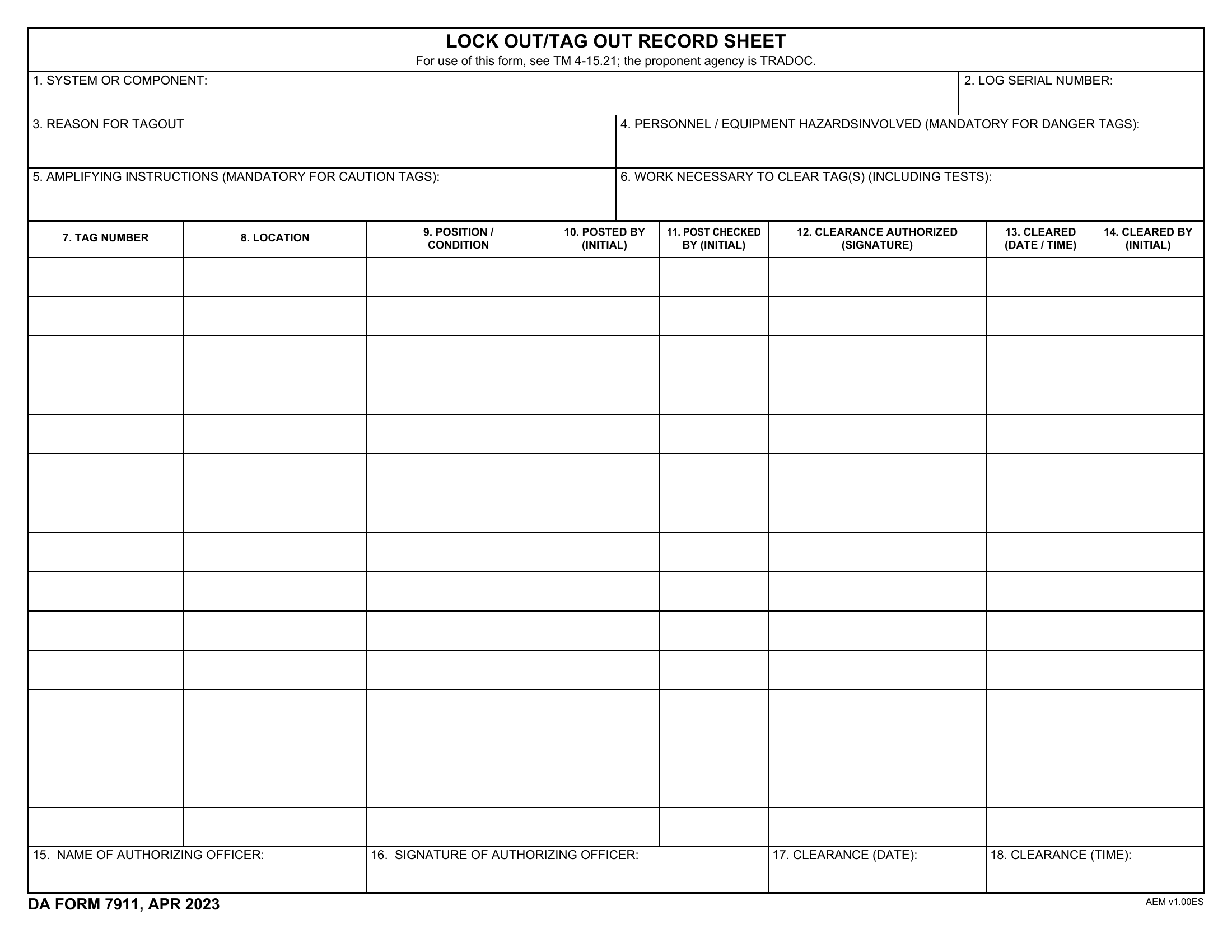
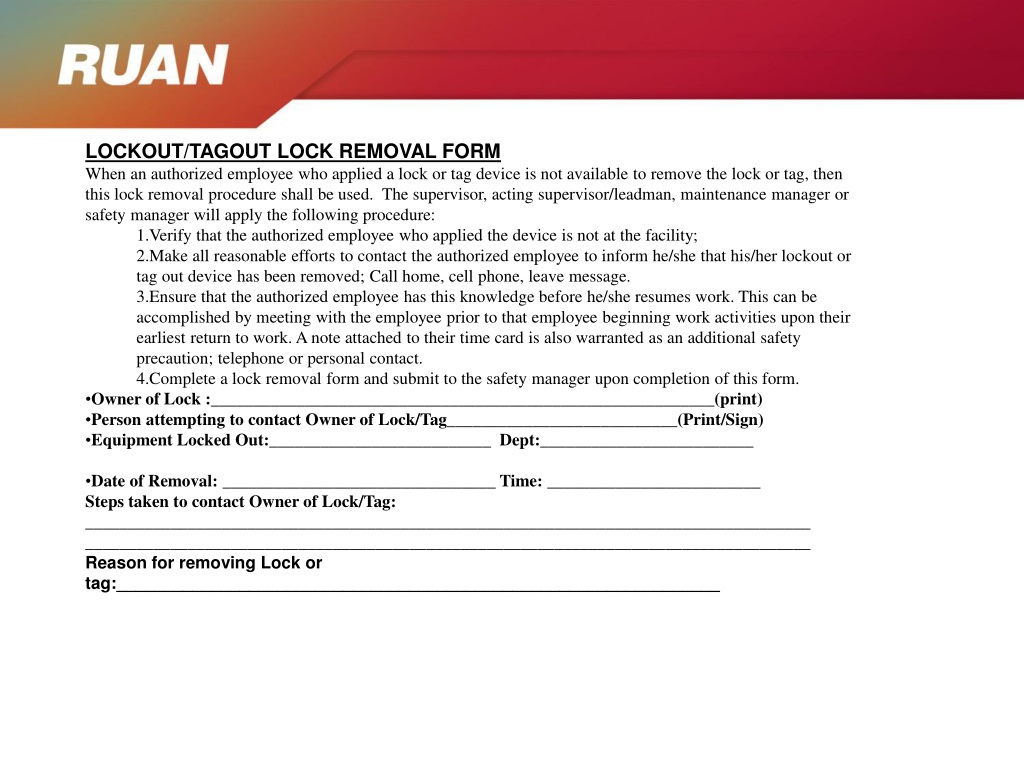
A lockout tagout removal form is a formal record used to document the safe removal of energy isolation devices (locks and tags) after maintenance or servicing. It confirms that:
- All tools have been removed
- Guards are reinstalled
- Employees are clear of the equipment
- The equipment is safe to re-energize
Unlike the initial LOTO application form—which focuses on shutting down and isolating energy—the removal form is the closeout document. It ensures accountability at the most vulnerable phase of the maintenance cycle.
Think of it as the reverse checklist. You wouldn’t start a car with the mechanic under the hood. Similarly, you shouldn’t re-energize a conveyor belt, press, or boiler without verifying every condition is met—and having proof.
Why the Removal Step Is More Dangerous Than Lockout
Most safety programs emphasize the application of lockout: shutting off power, applying locks, verifying zero energy. But statistically, the removal phase carries higher risk.
OSHA data shows that a significant number of LOTO-related incidents occur during re-energization. Why?
- Miscommunication: A worker removes a lock assuming others are clear, but someone is still making adjustments.
- Incomplete isolation reversal: A secondary energy source (like hydraulic pressure or stored heat) wasn’t fully dissipated.
- Bypassed verification: The person removing the lock didn’t personally test the equipment or confirm tool removal.
The removal form forces deliberate verification. It’s not about trust—it’s about process. Even in teams with strong safety cultures, human memory fails. The form ensures no step is assumed.
Key Elements of an Effective Lockout Tagout Removal Form
A good LOTO removal form isn’t a blank sheet with a signature line. It’s a structured, step-by-step verification tool. Here’s what must be included:
1. Equipment Identification
- Machine name, ID number, location
- Type of energy isolated (electrical, pneumatic, hydraulic, thermal, etc.)
2. Maintenance Summary
- Description of work performed
- Duration of lockout
- Work order or ticket number
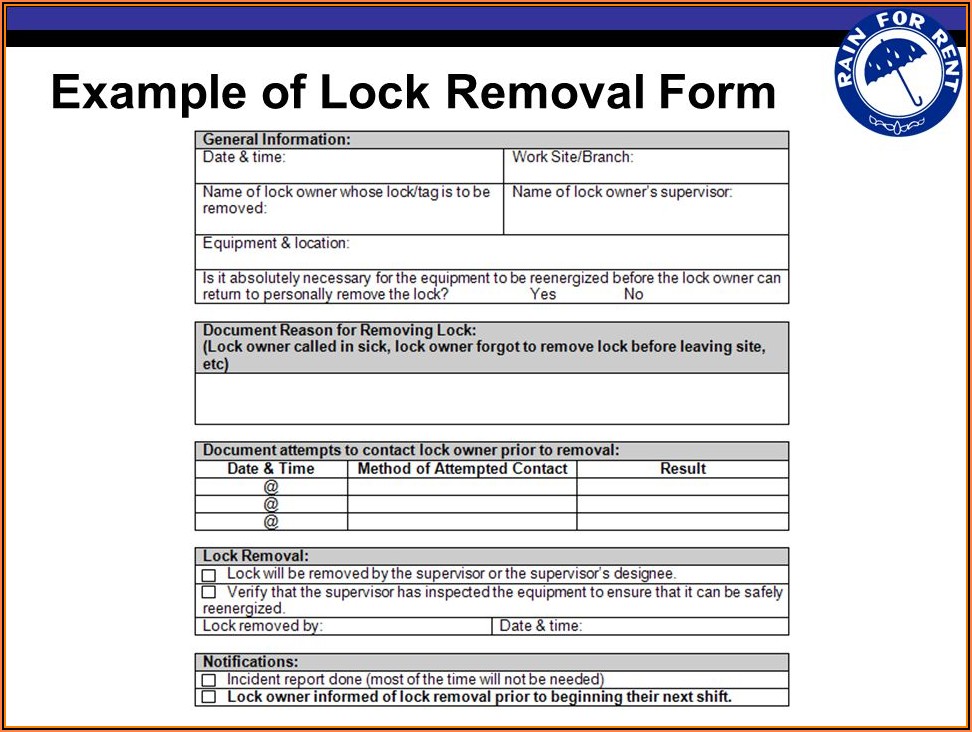
3. Verification Checklist Each of these items should be checked and initialed:
- [ ] All tools and components removed from equipment
- [ ] Safety guards and protective devices reinstalled
- [ ] Area confirmed clear of personnel
- [ ] Control circuit tested (if applicable)
- [ ] All energy sources confirmed zero (via test or inspection)
4. Authorized Personnel Sign-Off
- Name, signature, and ID of the person removing the lock
- Supervisor or verifier signature (optional but recommended)
- Date and time of removal
5. Witness or Observer Field In high-risk environments (e.g., confined space, high-voltage systems), a second qualified person should visually confirm conditions before re-energization.
Real-World Example: Using the Form in a Manufacturing Plant
At a Midwest automotive parts facility, a hydraulic press required bearing replacement. The maintenance team followed LOTO protocol: - Shut off main power - Closed hydraulic valves - Applied personal locks and tags - Verified no residual pressure
After four hours, work finished. Before re-energizing, the lead technician pulled out the LOTO removal form.
He walked through the checklist: - Confirmed the new bearing was seated, tools cleared - Reinstalled the safety cage around the ram - Radioed the production supervisor: “Zone clear?” Supervisor confirmed all operators were at least 10 feet away - Performed a no-load test cycle with guards open (to observe movement) - Closed guards, signed the form, removed his lock
Because the form required a supervisor verification signature, the supervisor reviewed the checklist, asked two follow-up questions, and signed off.
The press restarted without incident.
Six months later, during an OSHA audit, this form—and its detailed verification trail—was cited as a model practice.
Common Mistakes That Undermine LOTO Removal
Even experienced teams make errors. Here are the most frequent—and dangerous—mistakes:
❌ Using the Same Person for Lockout and Removal Verification If the technician who applied the lock also signs off on all removal checks, critical steps can be self-validated without independent oversight. Always separate duties when possible.
❌ Skipping the "Clear Area" Confirmation Workers assume silence means safety. But a junior technician might still be tightening a bolt inside the machine. The form should require direct visual or verbal confirmation.
❌ Using a Generic Form Across Equipment Types A removal form for a 480V motor panel shouldn’t be identical to one for a compressed air line. Tailor checklists to energy types and failure modes.
❌ Digital Forms Without Audit Trails If your electronic LOTO system allows edits after submission, the record loses integrity. Use systems that lock entries upon submission and timestamp all changes.
❌ Failing to Train on the Removal Process
Many training programs focus on “how to lock,” not “how to unlock.” Employees need equal instruction on removal criteria, communication protocols, and form completion.
Integrating the Removal Form into Your LOTO Program
A standalone form is useless without integration. Here’s how to make it operational:
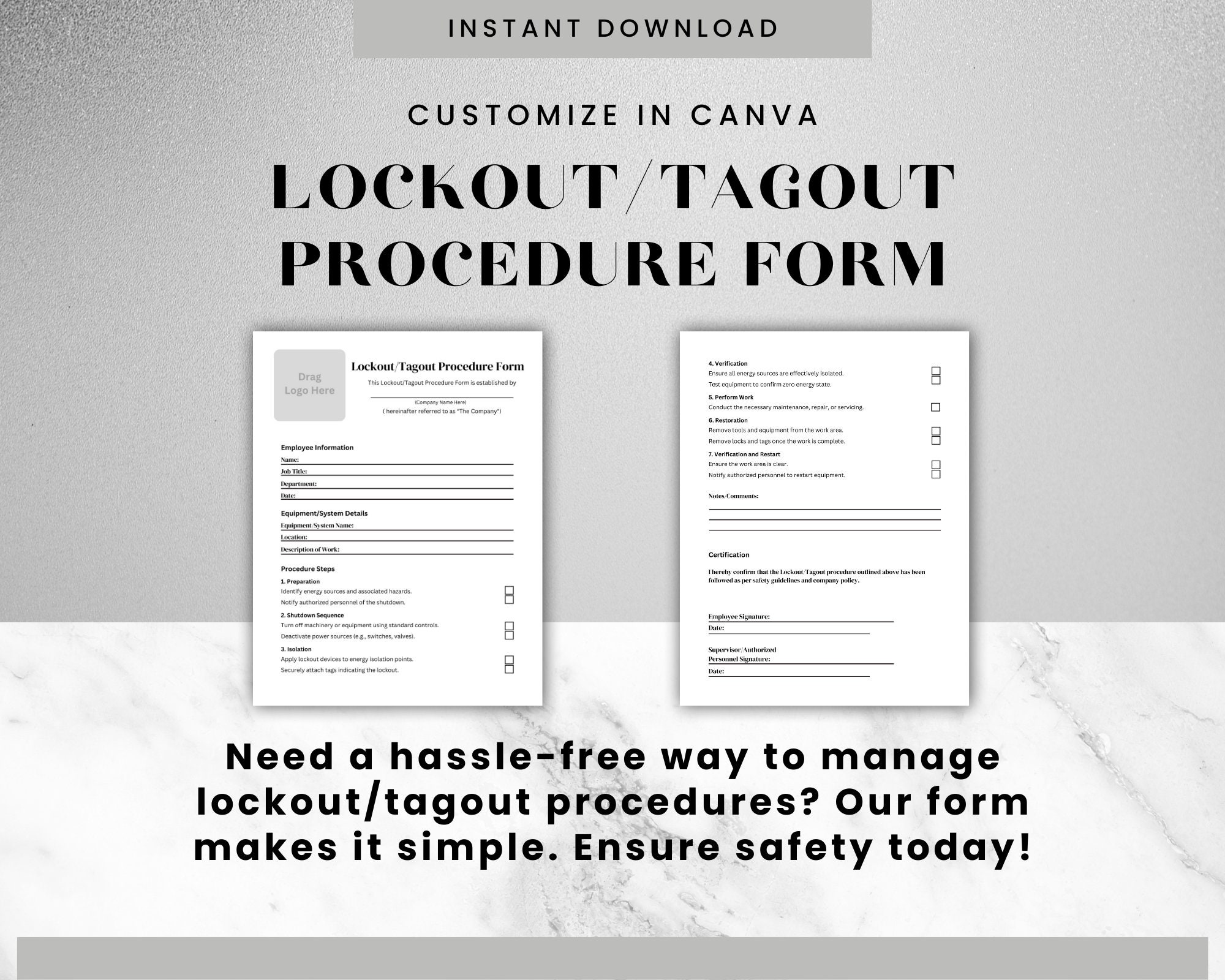
Step 1: Align with Your Written Energy Control Plan Your company’s LOTO policy must explicitly require a removal verification process. Reference the form by name and location (e.g., “Form LT-03: Lockout Removal Record”).
Step 2: Store Forms at Point of Use Printed forms should be attached to lockout stations or stored in maintenance kits. Digital forms should be accessible via mobile app or tablet on the shop floor.
Step 3: Require Completion
Before Unlocking No lock is removed until the form is fully completed. Make this a non-negotiable rule—supervisors should audit this daily.
Step 4: Archive for Compliance and Review Keep completed forms for at least one year. Use them during incident investigations, audits, and training refreshers.
Step 5: Audit Randomly Pick 5–10 completed forms monthly. Check for missing initials, vague entries, or skipped steps. Provide feedback immediately.
Digital vs. Paper-Based Removal Forms: Pros and Cons
| Factor | Paper Forms | Digital Forms |
|---|---|---|
| Speed of Access | Requires physical storage | Instant access via mobile devices |
| Risk of Loss | High (can be misplaced) | Low (cloud-backed) |
| Audit Trail | None unless filed | Full version history and timestamps |
| Integration | Standalone | Can sync with CMMS, ERP, or safety software |
| Training Curve | Low | Moderate (requires device training) |
| Real-Time Alerts | No | Yes (e.g., notify supervisor on submission) |
For small shops, paper forms with binders at each station may suffice. For larger operations, digital systems reduce errors and improve compliance tracking.
5 Tools That Support LOTO Removal Documentation
If you're building or upgrading your LOTO system, consider these platforms that include removal form functionality:
- SetuTrack
- Cloud-based LOTO management with customizable digital removal forms, photo verification, and OSHA-ready reporting. Best for mid to large manufacturers.
- LockOut/TagOut Pro by Creative Safety Supply
- Mobile app with pre-built templates, electronic signatures, and audit logs. Ideal for teams transitioning from paper.
- Fiix by Rockwell Automation
- CMMS platform with integrated LOTO workflows. Removal forms tie directly to work orders and asset histories.
- EHS Insight
- Enterprise safety software with configurable LOTO modules, including removal checkpoints and compliance dashboards.
- SafetySync
- Offers printable and digital forms, training tracking, and automated reminders for expired lockouts.
Each tool varies in complexity and cost, but all enforce structure and accountability during the removal process.
Final Step, Highest Stakes
The lockout tagout removal form is not bureaucracy. It’s the last line of defense between a successful repair and a catastrophic incident.
It forces pause. It demands verification. It creates a record that protects workers and the organization.
Don’t treat it as an afterthought. Design it with precision, require it without exception, and audit it consistently. Because when the power returns, the only thing more important than the machine running is knowing—without doubt—that everyone is safe.
Implement your removal form today. Test it next week. Refine it every quarter. Safety isn’t a one-time fix. It’s a process, documented step by step.
FAQ
What should you look for in Lockout Tagout Removal Form Essentials and Best Practices? Focus on relevance, practical value, and how well the solution matches real user intent.
Is Lockout Tagout Removal Form Essentials and Best Practices suitable for beginners? That depends on the workflow, but a clear step-by-step approach usually makes it easier to start.
How do you compare options around Lockout Tagout Removal Form Essentials and Best Practices? Compare features, trust signals, limitations, pricing, and ease of implementation.
What mistakes should you avoid? Avoid generic choices, weak validation, and decisions based only on marketing claims.
What is the next best step? Shortlist the most relevant options, validate them quickly, and refine from real-world results.