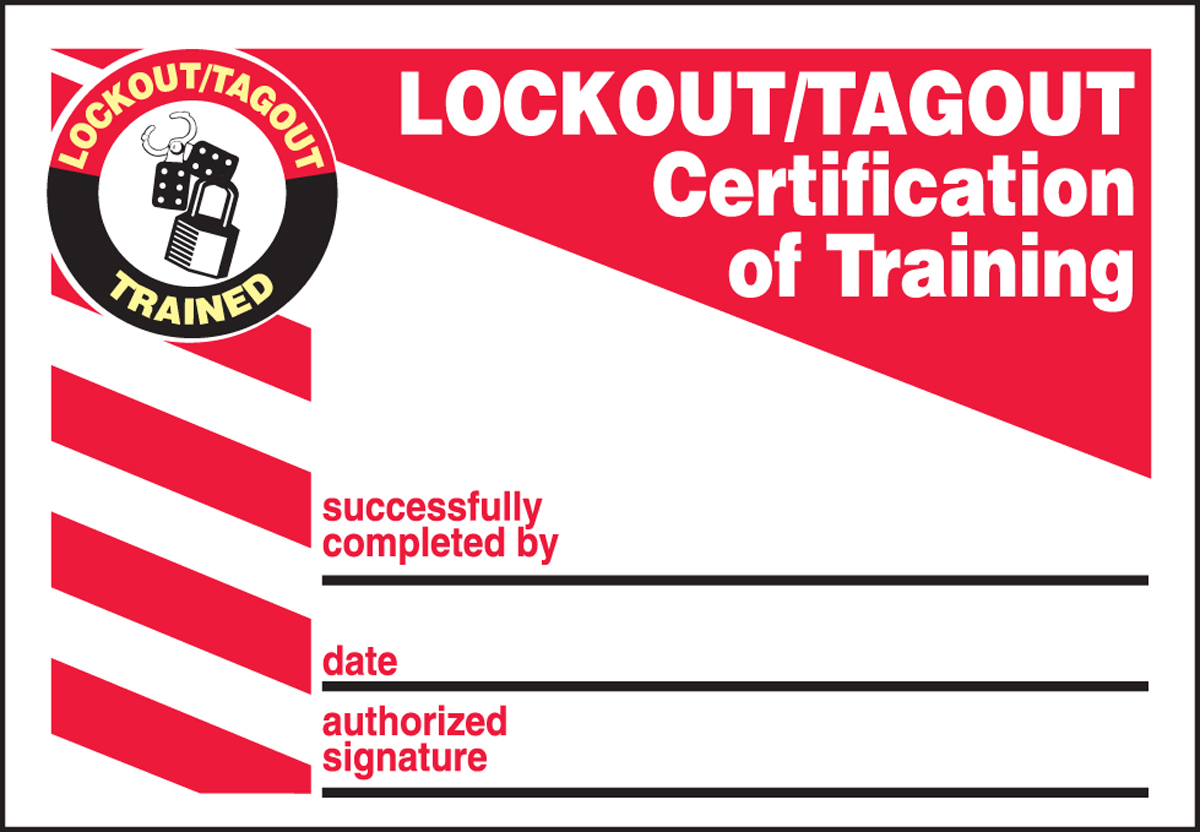
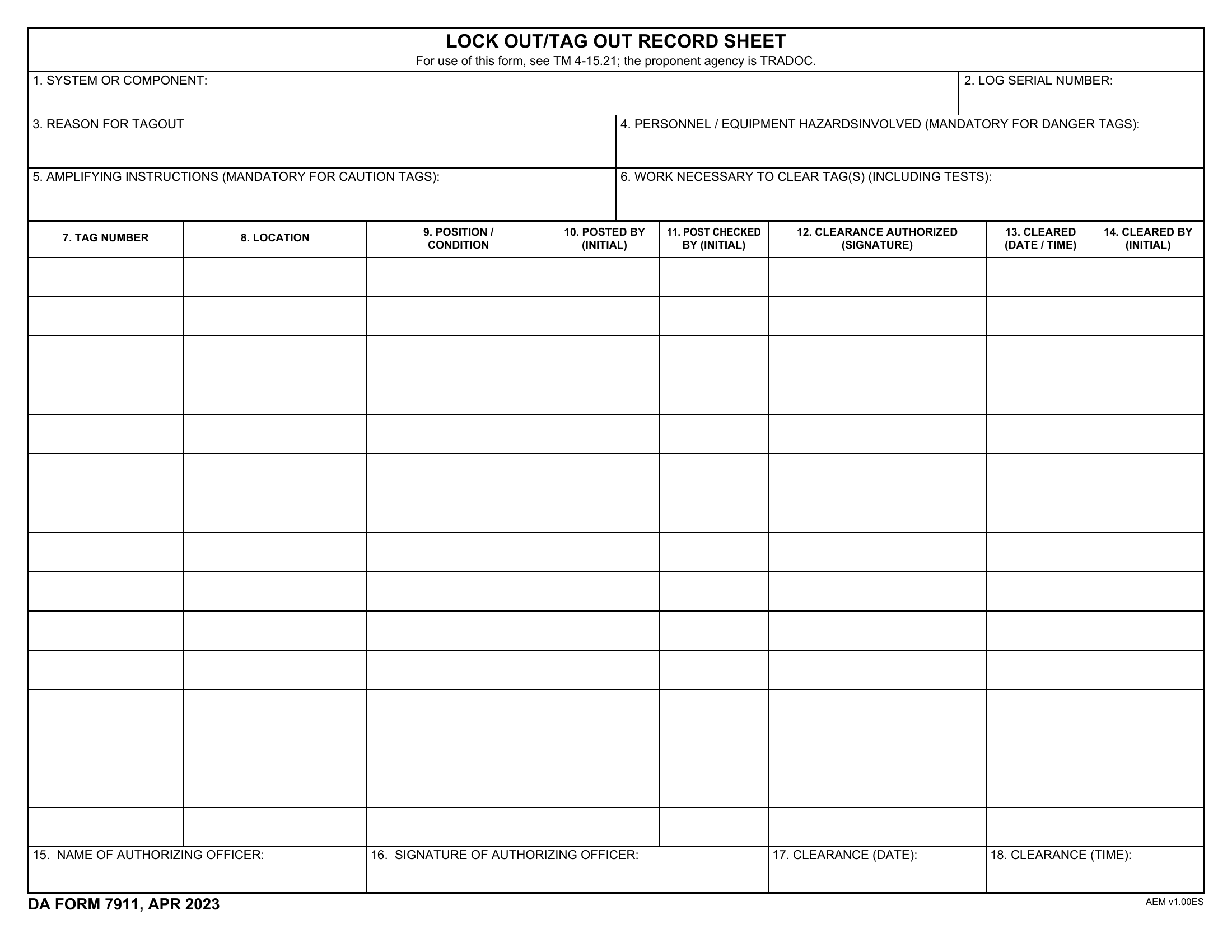
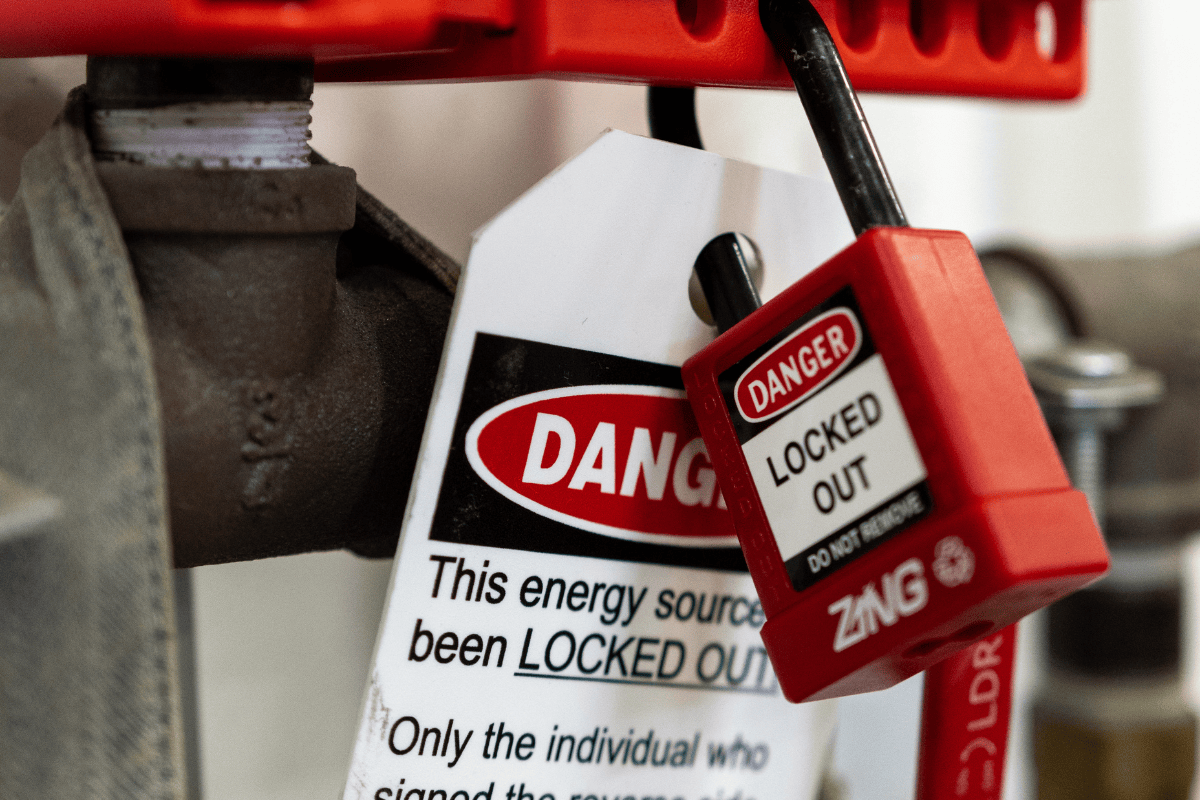
Machines don’t shut down safely on their own. Without proper procedures, residual energy in industrial equipment kills or injures hundreds each year. That’s where lockout tagout (LOTO) comes in—specifically, the tag portion of the process. And increasingly, safety managers are turning to printable lockout tagout tags as a cost-effective, flexible solution to maintain compliance and operational control.
But not all printable tags are created equal. Poor design, flimsy materials, or incomplete information can undermine their effectiveness and even lead to audit failures. The key isn’t just printing a tag—it’s creating one that’s durable, informative, and aligned with OSHA standards.
Let’s break down how printable LOTO tags work, when to use them, and how to integrate them into a real-world safety workflow.
Why Printable Lockout Tagout Tags Are Gaining Popularity
Traditional pre-printed LOTO tags have their place, but they’re often limited. They come in fixed formats, may not match site-specific needs, and sitting on a shelf until needed can lead to supply shortages or outdated versions.
Printable tags solve this. With a standard office or industrial printer, you can produce custom tags on demand. This adaptability is why maintenance teams, plant supervisors, and safety officers now rely on digital templates they can modify instantly.
Key advantages include: - Customization: Add site-specific details like machine ID, department, or supervisor name. - Scalability: Print one tag or a hundred with the same effort. - Version control: Update templates instantly across departments. - Cost efficiency: Avoid over-ordering pre-printed stock.
For example, a food processing plant with rotating equipment lines can generate tags tailored to each production shift, including shift lead names and downtime reasons—details that generic tags can’t accommodate.
How Printable LOTO Tags Fit into OSHA’s Energy Control Standards
OSHA’s standard 29 CFR 1910.147 sets strict requirements for controlling hazardous energy. Tags must clearly communicate: - The identity of the employee applying the lock/tag - The date and time of application - The reason for the lockout - A warning such as “Do Not Start,” “Do Not Operate,” or “Do Not Energize”
- Be affixed securely to the lockout point
- Be readable from a normal distance
- Not be reused unless re-inspected and re-validated
A common mistake? Using standard printer paper. In wet, oily, or high-temperature environments, paper tags disintegrate. The fix? Print on synthetic or laminated stock designed for industrial use.

A poorly designed tag is worse than no tag—it creates a false sense of security. Your printable LOTO tag should be information-dense but easy to scan under stress.
Essential Fields for Every Tag
- Employee Name – Who initiated the lockout?
- Department/Shift – For traceability
- Equipment ID/Name – Be specific: “Conveyor Line 3 – Drive Motor”
- Date & Time Applied – Critical for shift handoffs
- Reason for Lockout – “Motor bearing replacement,” not “maintenance”
- Expected Duration – Helps prevent accidental removal
- Contact Information – Phone or extension for verification
Optional but useful: - QR code linking to the full LOTO procedure - Space for supervisor signature - Hazard type icons (electrical, mechanical, pneumatic)
Use bold headings and high-contrast colors (red/yellow backgrounds with black text) to ensure visibility. Avoid cursive fonts or crowded layouts.
Common Mistakes That Undermine Printable Tag Effectiveness
Even with the right template, execution matters. Here are frequent errors that compromise safety:
- Using non-durable materials
- Printing on regular paper in a manufacturing setting is a compliance red flag. Moisture, grease, and handling degrade paper quickly.
- Vague descriptions
- “Machine repair” tells nothing. A tag should specify: “Pump P-204 – Impeller replacement – Electrical and hydraulic lockout.”
- Delayed tagging
- Some workers lock first, tag later. But OSHA requires tagging at the same time. A printable tag should be part of the initial action.
- Missing accountability
- Tags without employee names or contact info create ambiguity. If a night shift worker sees a tag, they need to know who applied it.
- Ignoring environmental factors
- Outdoor or washdown areas need waterproof, UV-resistant tags. Standard ink can fade or smear.
Pro Tip: Run a quarterly audit of used tags. Check legibility, completeness, and adherence to procedure. It’s a rare but powerful way to spot gaps before an OSHA inspection.
Top 5 Printable LOTO Tag Solutions
Not all printable tag systems are DIY. Several platforms offer professionally designed, OSHA-aligned templates and materials. Here are five reliable options:

| Solution | Key Feature | Best For | Material Options |
|---|---|---|---|
| Justrite TagPrint System | Integrated printer + software with pre-approved templates | Large facilities with multiple sites | Polyester, vinyl, laminated paper |
| Seton Safety Tag Templates | Free downloadable PDFs; compatible with laser/inkjet | Small to mid-sized operations | Standard, heavy stock, weatherproof |
| BradyWorkstation | Cloud-based design tool with barcode integration | Companies with asset tracking | Thermal-transfer, synthetic |
| Grainger Printable Tags | On-demand printing with bulk paper options | Quick in-house production | Coated paper, tagboard |
| SafetySign.com Custom Tags | Online builder with instant PDF output | One-off or emergency tag needs | Weather-resistant synthetics |
Each of these supports compliance out of the box, but templates should still be reviewed for site-specific accuracy. Never assume a “generic” tag covers your machinery’s unique hazards.
When Printable Tags Are (and Aren’t) the Right Choice
Printable LOTO tags shine in dynamic environments where equipment, personnel, and procedures change frequently. They’re ideal for: - Facilities with rotating machinery - Contract maintenance teams needing site-specific documentation - Companies undergoing OSHA audits and needing up-to-date records
But they’re not always the best fit.
Avoid printable tags when: - You lack reliable printer access in the field - Staff aren’t trained on proper tag completion - Your environment demands extreme durability (e.g., foundries, chemical plants)
In high-abuse settings, consider pre-printed metal or engraved tags. For mixed-use scenarios, a hybrid approach works best—printable for routine maintenance, permanent tags for critical systems.
Integrating Printable Tags into Your LOTO Workflow
A tag is only as good as the process behind it. Here’s how to embed printable LOTO tags into daily operations:
- Store templates digitally – Keep them on shared drives or mobile devices accessible to authorized staff.
- Standardize printer setup – Designate one or more printers stocked with approved tag stock.
- Train on real examples – Use past incidents or near-misses to show how a complete tag prevents accidents.
- Include in audits – Review printed tags during safety walkthroughs.
- Automate where possible – Link tag generation to work order systems. For example, when a maintenance ticket is created, a printable tag auto-generates with job details.
One auto parts manufacturer reduced LOTO errors by 68% after introducing a digital tag template with auto-filled equipment IDs from their CMMS.
Final Thoughts: Make Compliance Actionable, Not Administrative
Printable lockout tagout tags aren’t just paperwork—they’re frontline safety tools. When designed well and used correctly, they eliminate confusion, protect workers, and hold up under regulatory scrutiny.
Don’t settle for generic templates or flimsy paper. Invest in durable materials, enforce consistent use, and treat each tag as a critical control point.
Your next step: Download a compliant template today, test it in a real maintenance scenario, and refine it based on team feedback. Safety isn’t about perfection on day one—it’s about continuous improvement with tools that work in the real world.
Frequently Asked Questions
Can I use regular printer paper for LOTO tags? No. Regular paper is not durable enough for industrial environments. Use laminated, synthetic, or weather-resistant stock.
Are handwritten tags acceptable under OSHA? Yes, if they’re legible, complete, and meet all required information. But printable tags reduce errors and improve consistency.
Do printable tags need to be in color? Not required, but color improves visibility. Red or yellow backgrounds with bold warnings are recommended.
Can I reuse a printed tag? Only if it’s undamaged and re-verified. OSHA discourages reuse—treat each lockout as a fresh event.
Should tags include a QR code? Not required, but highly useful. A QR code can link to digital LOTO procedures, training records, or contact info.
How long must completed tags be retained? OSHA doesn’t specify, but retaining them for at least one year supports incident investigations and audits.
Who can remove a printable LOTO tag? Only the employee who applied it, unless that person is unavailable—then a structured, documented process must be followed.
FAQ
What should you look for in Printable Lockout Tagout Tags: A Practical Guide to OSHA Compliance? Focus on relevance, practical value, and how well the solution matches real user intent.
Is Printable Lockout Tagout Tags: A Practical Guide to OSHA Compliance suitable for beginners? That depends on the workflow, but a clear step-by-step approach usually makes it easier to start.
How do you compare options around Printable Lockout Tagout Tags: A Practical Guide to OSHA Compliance? Compare features, trust signals, limitations, pricing, and ease of implementation.
What mistakes should you avoid? Avoid generic choices, weak validation, and decisions based only on marketing claims.
What is the next best step? Shortlist the most relevant options, validate them quickly, and refine from real-world results.