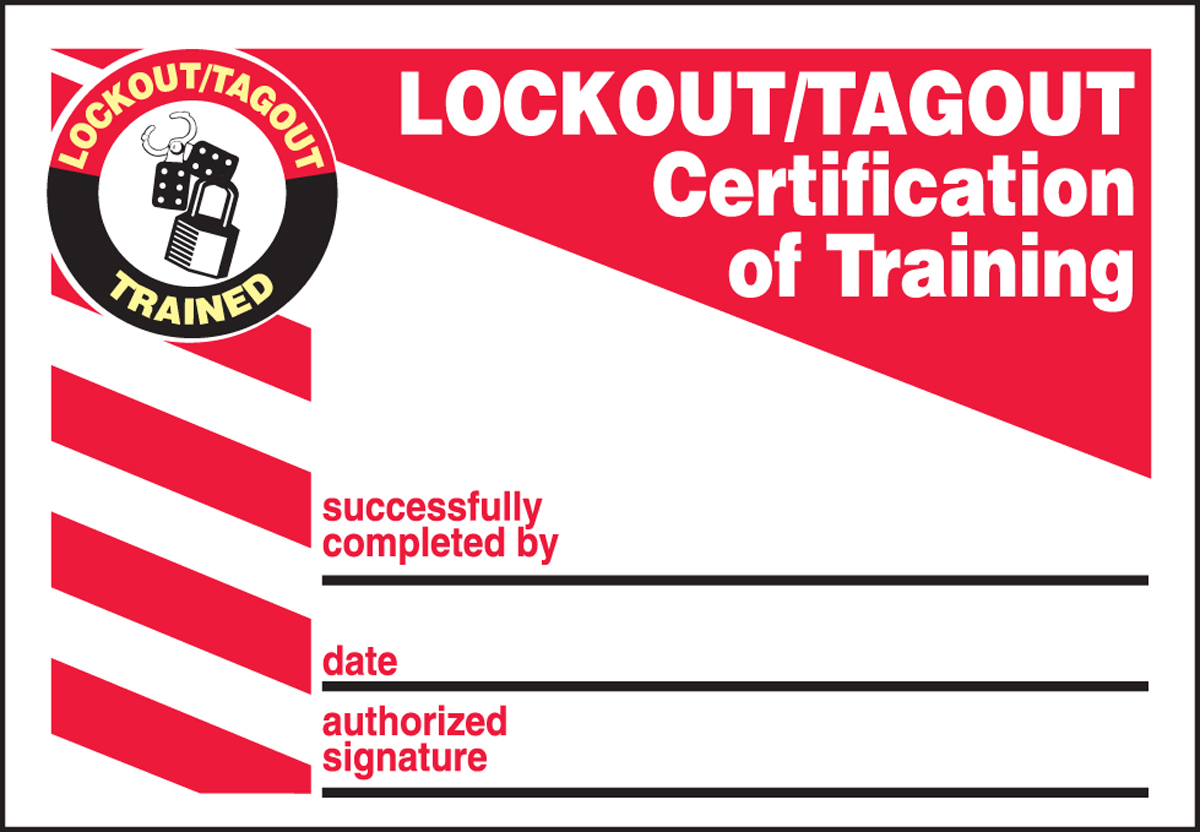
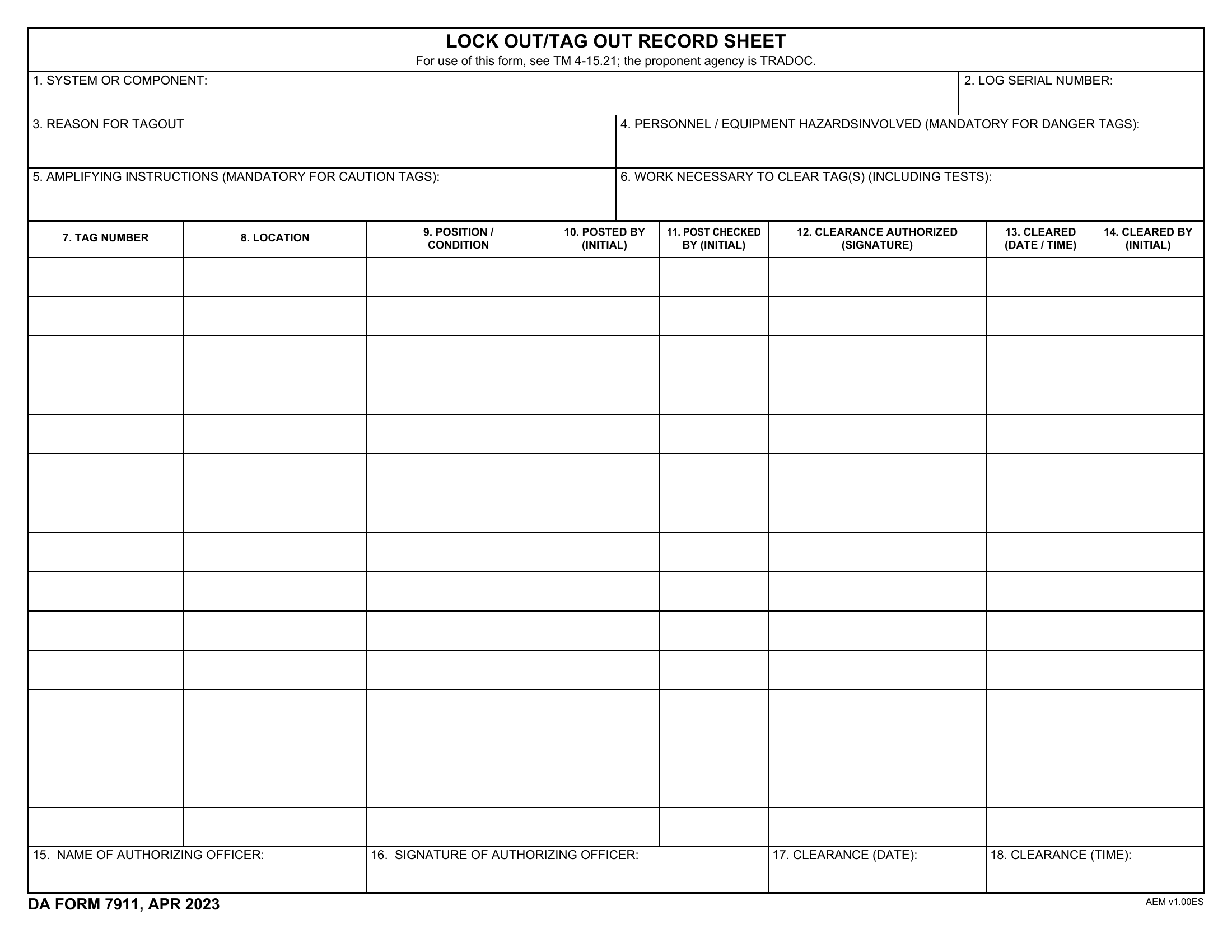
A single image can prevent a lifetime of injury. In high-risk industrial environments, pictures of lockout tagout (LOTO) are more than training aids—they're critical tools for communication, compliance, and culture change. Misunderstandings during machine maintenance account for thousands of preventable injuries annually. And yet, many facilities still rely solely on written procedures. The truth? When it comes to safety, visuals win.
Photographs and diagrams of lockout tagout procedures bridge language gaps, clarify complex steps, and make abstract rules tangible. This is especially crucial in diverse workforces where English may not be the primary language. A well-placed photo showing a worker applying a lockout device to a motor disconnect can communicate more in seconds than paragraphs of text.
We’ll explore how real-world visual examples of LOTO improve training, reduce errors, and support compliance—and where to find or create the most effective ones.
The Power of Visual Learning in LOTO Programs
Humans process images 60,000 times faster than text. In safety-critical environments like manufacturing plants, refineries, or food processing facilities, that speed matters. A maintenance technician rushing through a shift may skip over a 10-step written procedure but can’t ignore a bold image of a lock applied to a live electrical panel.
Real-World Impact of Visual Cues
Consider a case at a Midwest automotive plant. After introducing illustrated LOTO work instructions—featuring clear pictures of lock placement, tag positioning, and group lockout boards—lockout violations dropped by 68% in six months. Supervisors reported faster training times and fewer "I didn’t know" excuses.
Visuals clarify nuances that words alone miss: - Correct placement of lockout devices on energy-isolating mechanisms - Proper tagging with employee name, date, and reason - Sequence of operations during multi-step shutdowns - Common mistakes, like using universal locks or skipping verification
When employees see a photo of a correctly locked-out conveyor system, they internalize the standard. When they see a red-tagged valve with a worker’s photo and shift time, accountability becomes visible.
Types of Lockout Tagout Pictures You Need
Not all LOTO images are created equal. Effective visual documentation includes several key categories:
1. Close-Ups of Lockout Devices Photos that zoom in on padlocks, circuit lockouts, valve covers, and breaker lockouts. These help workers identify correct hardware. For example: - A yellow hasp on a disconnect switch - A chain lock securing a hydraulic valve - A cable lock wrapped around a motor starter
2. Full-Process Procedure Shots Step-by-step images showing entire LOTO sequences. These are ideal for training manuals and safety boards. Example sequence: 1. Machine shutdown initiation 2. Locating energy isolation points 3. Applying personal lock and tag 4. Testing for zero energy 5. Performing maintenance
Each step should feature a real employee (with consent) or model in proper PPE.
3. Common Mistakes and Violations Use “bad example” photos to show what not to do: - A lock placed on a control button instead of the power source - A missing tag or illegible handwriting - Multiple workers sharing one lockout point
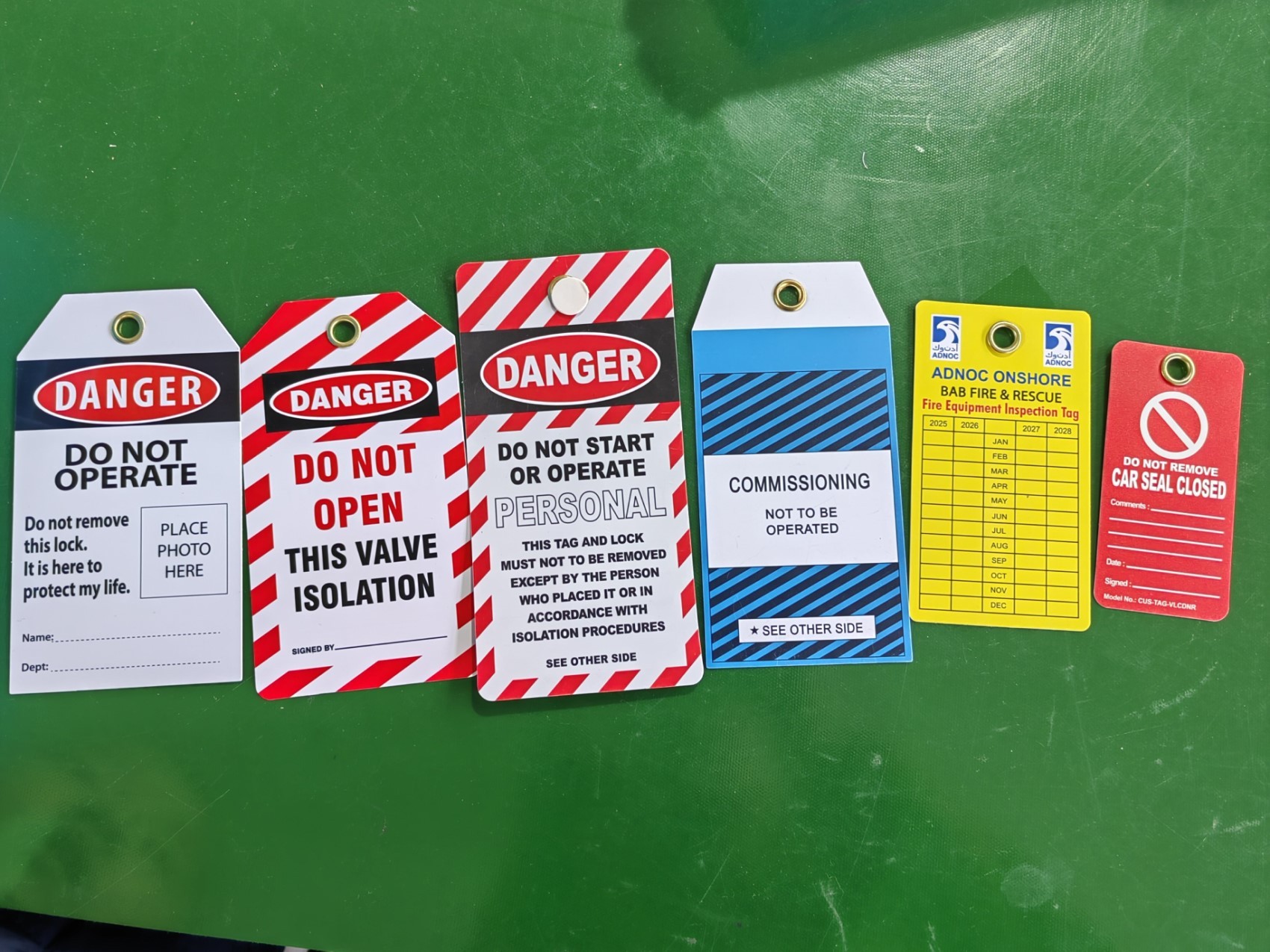
These visuals reinforce standards by highlighting failure modes.
4. Industry-Specific Applications A chemical plant’s LOTO visuals differ from those in a bakery or data center. Photos should reflect actual equipment: - Locking out a steam boiler valve - Tagging out a robotic arm control panel - Isolating a conveyor motor in a packaging line
Generic stock photos often fail here. Custom photography is worth the investment.
How to Use LOTO Pictures in Training and Daily Operations
Visuals aren’t just for onboarding. They should be integrated into daily safety workflows.
Training Modules Replace text-heavy slides
with annotated images. For instance:
- Overlay numbered steps on a photo of a lockout station
- Use side-by-side comparisons: correct vs. incorrect lock application
- Embed QR codes linking to video demonstrations
One technician training program reduced errors by 41% after switching to image-based assessments.
Floor Markings and Safety Signage Post laminated pictures near high-risk machines. Use weather-resistant vinyl in outdoor areas. Example placements: - Outside control rooms - Beside hydraulic presses - At main electrical panels
Include a short caption: "Always lock the main disconnect before servicing. See procedure #L3."
Digital Work Instructions In facilities using tablets or smart glasses, push real-time LOTO images to technicians. Picture-guided workflows reduce cognitive load during complex shutdowns.
Where to Find High-Quality Lockout Tagout Images
While you can create custom photos, many organizations start with trusted sources:
| Source | Best For | Limitations |
|---|---|---|
| OSHA Public Domain Images | Free, compliant, official | Limited variety, outdated aesthetics |
| Manufacturer Guides (e.g., Brady, Master Lock) | Product-specific visuals | May promote branded solutions |
| Industry Training Platforms (e.g., DuPont, NFPA) | Real-world context | Subscription required |
| Internal Photography | 100% relevant to your site | Requires time and equipment |
| Safety Stock Image Libraries (e.g., Getty, Shutterstock) | Quick deployment | Risk of generic or unrealistic scenes |
Pro Tip: Combine sources. Use stock images for training templates, but supplement with on-site photos for work instructions.
Creating Your Own LOTO Visuals: A Step-by-Step Approach
Custom pictures of lockout tagout procedures deliver the highest relevance. Follow this workflow:
1. Conduct a Machine Walkthrough Identify all energy sources: electrical, pneumatic, hydraulic, thermal, gravitational. Photograph each isolation point.
2. Stage Realistic Scenarios Use trained employees (not actors) to perform LOTO on live equipment during planned shutdowns. Capture: - Full-body shots showing PPE and positioning - Close-ups of hand movements applying locks - Tags being filled out and attached
3. Annotate and Standardize Add labels, arrows, and numbered steps using image editing tools. Keep formatting consistent across all visuals.
4. Review with Safety Team Ensure accuracy and compliance with your site’s Energy Control Program (ECP). Fix any discrepancies.
5. Distribute and Update Print, post, and upload. Re-shoot annually or after equipment changes.
Avoid these common pitfalls: - Poor lighting (shadows hide details) - Blurry or distant shots - Using outdated equipment in photos - Failing to update visuals after procedural changes
Mistakes to Avoid with LOTO Visuals
Even the best images can mislead if used incorrectly.
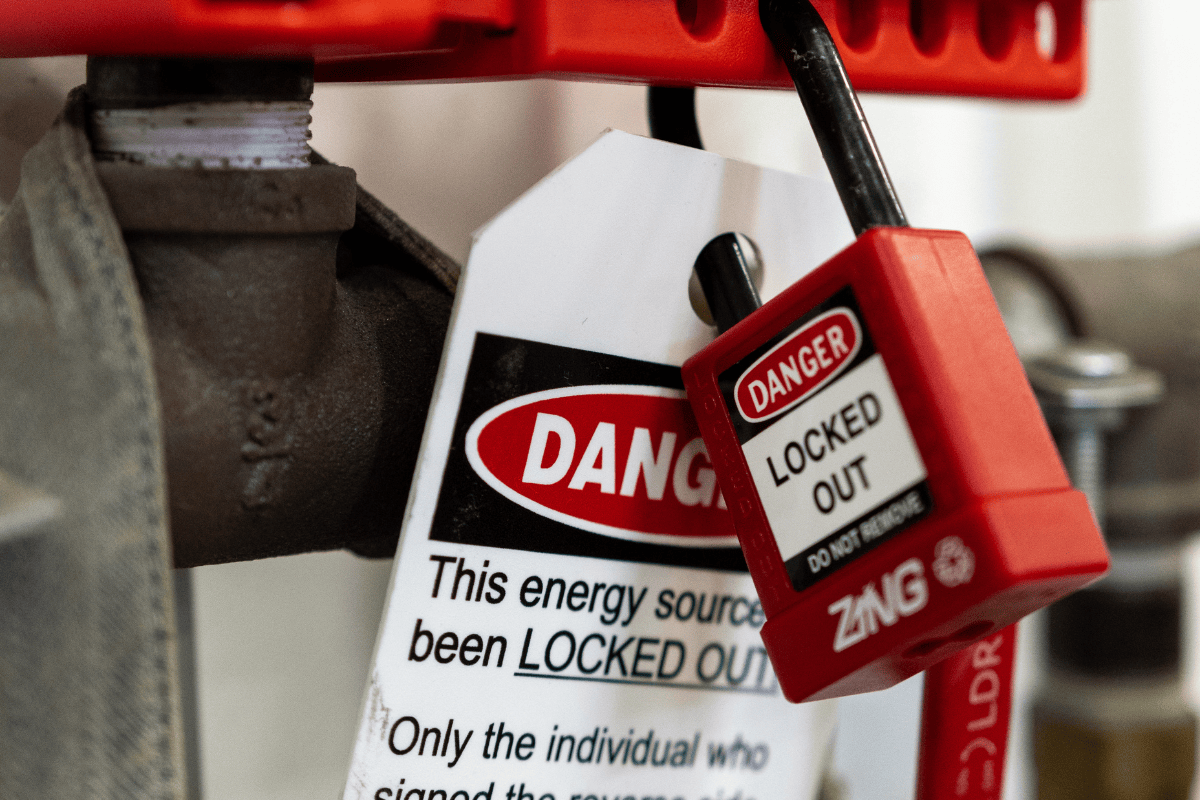
❌ Using Only Ideal-World Photos Showing a pristine, empty workspace doesn’t reflect reality. Include images taken in cluttered or low-light environments to prepare workers for real conditions.
❌ Ignoring Multilingual Needs Pair images with universal symbols (like ISO 7010 safety icons) and multilingual tags. A photo of a lock with a tag in English, Spanish, and Vietnamese covers more ground.
❌ Overloading with Information One image, one message. Don’t cram 15 steps into a single photo. Break complex procedures into sequences.
❌ Failing to Verify Zero Energy Some visuals stop at lock application. Always include a shot of the worker testing the machine—pressing start, checking gauges, confirming shutdown.
Real-World Use Cases: LOTO Pictures in Action
Case 1: Food Processing Plant A frozen foods facility introduced laminated LOTO procedure cards with full-color pictures next to each packaging line. Each card showed: - Lockout points for the conveyor, sealer, and chiller - Sample filled-out tag - Emergency unlock steps
Result: Zero lost-time incidents related to maintenance in 14 months.
Case 2: University Research Lab Lab technicians were bypassing LOTO on centrifuges. After posting a photo series showing a researcher locking out a high-speed rotor—and the potential consequences of failure—compliance rose from 52% to 94%.
Case 3: Offshore Oil Platform
With rotating crews and harsh conditions, a platform used ruggedized tablets with interactive LOTO photo guides. Technicians tapped through steps, with each screen featuring annotated images. Audit scores improved by 37%.
Actionable Next Steps
- Don’t wait for an incident to invest in visual safety. Start today:
- Audit your current LOTO documentation—how many images do you have?
- Identify three high-risk machines and photograph their lockout procedures.
- Replace at least one text-based procedure with a step-by-step photo guide.
- Train supervisors to use visuals during safety talks.
- Review and refresh all LOTO images quarterly.
Pictures of lockout tagout aren’t just illustrations—they’re shields. They protect workers, satisfy OSHA, and turn safety from a policy into a practice. Make yours clear, correct, and visible everywhere.
FAQ
Where can I find free pictures of lockout tagout? OSHA’s website offers public domain safety images, including LOTO examples. Some manufacturers like Brady and Grainger also provide free downloadable visuals for training.
Can I use stock photos for my company’s LOTO program? Yes, but only if they accurately reflect your equipment. Always verify that the lockout points, devices, and procedures match your site’s setup.
How detailed should LOTO photos be? Close-ups should show device placement clearly. Full-body shots should include PPE and context. Label key components like isolation points and tag fields.
Do LOTO pictures replace written procedures? No. They complement written energy control plans. OSHA requires documented procedures—photos enhance, but don’t substitute, them.
Should LOTO images include employee faces? Use discretion. For training, real employees (with signed releases) add authenticity. For signage, use models or blur faces to protect privacy.
How often should LOTO visuals be updated? Annually or whenever equipment, procedures, or personnel change. Outdated images create confusion and compliance risks.
Can digital LOTO photos be used on mobile devices? Yes. Many companies use tablets or apps to deliver interactive, picture-based lockout instructions—especially effective in remote or rotating shift environments.
FAQ
What should you look for in Pictures of Lockout Tagout: Visual Guide for Safety Compliance? Focus on relevance, practical value, and how well the solution matches real user intent.
Is Pictures of Lockout Tagout: Visual Guide for Safety Compliance suitable for beginners? That depends on the workflow, but a clear step-by-step approach usually makes it easier to start.
How do you compare options around Pictures of Lockout Tagout: Visual Guide for Safety Compliance? Compare features, trust signals, limitations, pricing, and ease of implementation.
What mistakes should you avoid? Avoid generic choices, weak validation, and decisions based only on marketing claims.
What is the next best step? Shortlist the most relevant options, validate them quickly, and refine from real-world results.